Change default due days
Adjusting the default due days for new customers
Guide
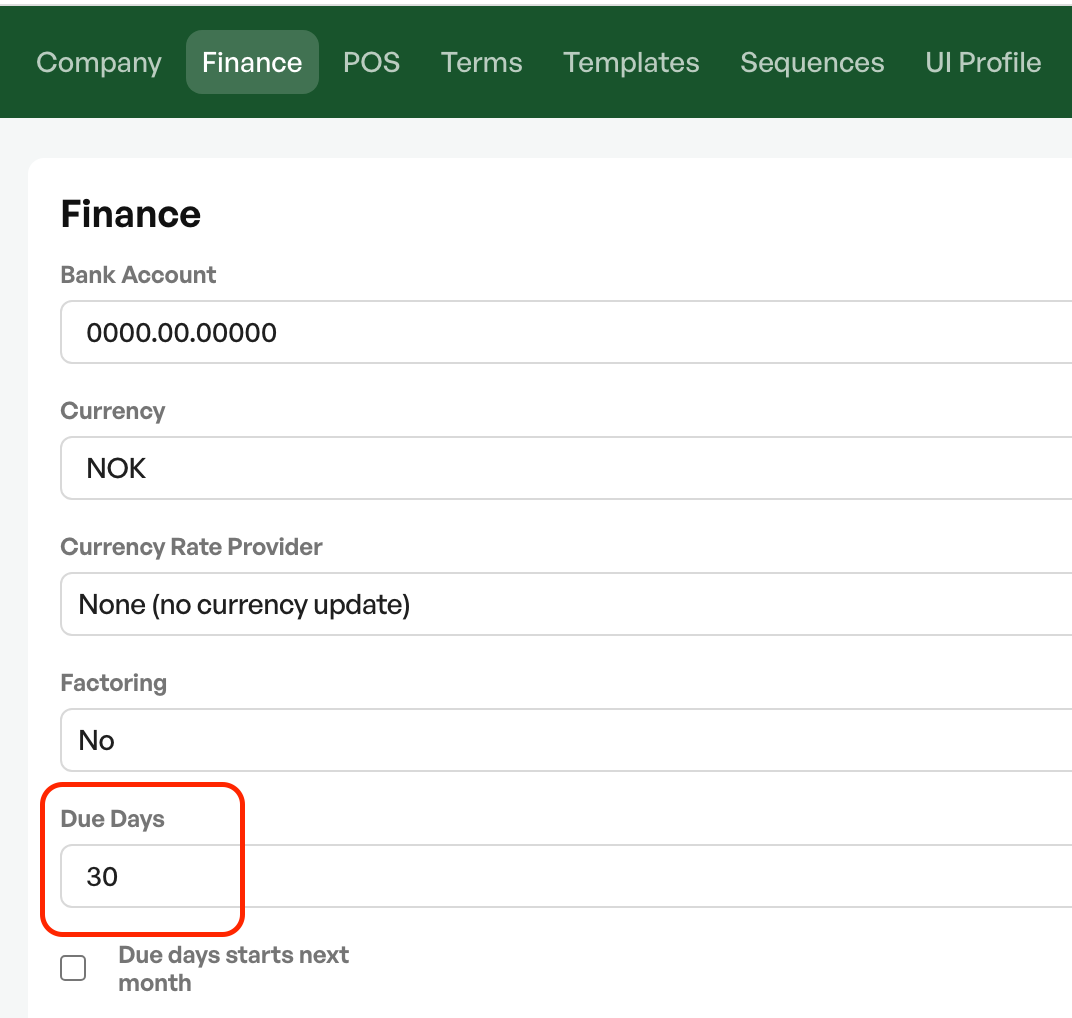
Navigate to 'Settings -> System settings -> the 'Finance' tab'
In the "Due days" field you can set the desired default due days, finish with 'Save'
Note: Existing customers will not have their due days updated. Only new customers will get the new default due date on change

Was this article helpful?
That’s Great!
Thank you for your feedback
Sorry! We couldn't be helpful
Thank you for your feedback
Feedback sent
We appreciate your effort and will try to fix the article