Discount matrix
The discount matrix can be used against orders and the webshop to give discounts on products.
TABLE OF CONTENTS
Structure
The matrix can be built up in many ways, from product, category, discount group, etc.
Category
You can add a main category or subcategory, often called parent and child category. You add the categories on each product (either as a main category or several categories).
Discount groups
You can add discount groups per customer card. This makes it easier to give a common discount to all customers under the same agreement. The discount groups are built up in the menu - innstillinger - rabattgrupper. Each of the discount groups can be added to the customer card.
The fields in the discount matrix
In the discount matrix you can set up several rules per line.
It is easier to adjust a discount when there are as few lines as possible.
You can combine all the choices on each line so that it is tailored to each category, discount group, customer, order type, manufacturer, and product.
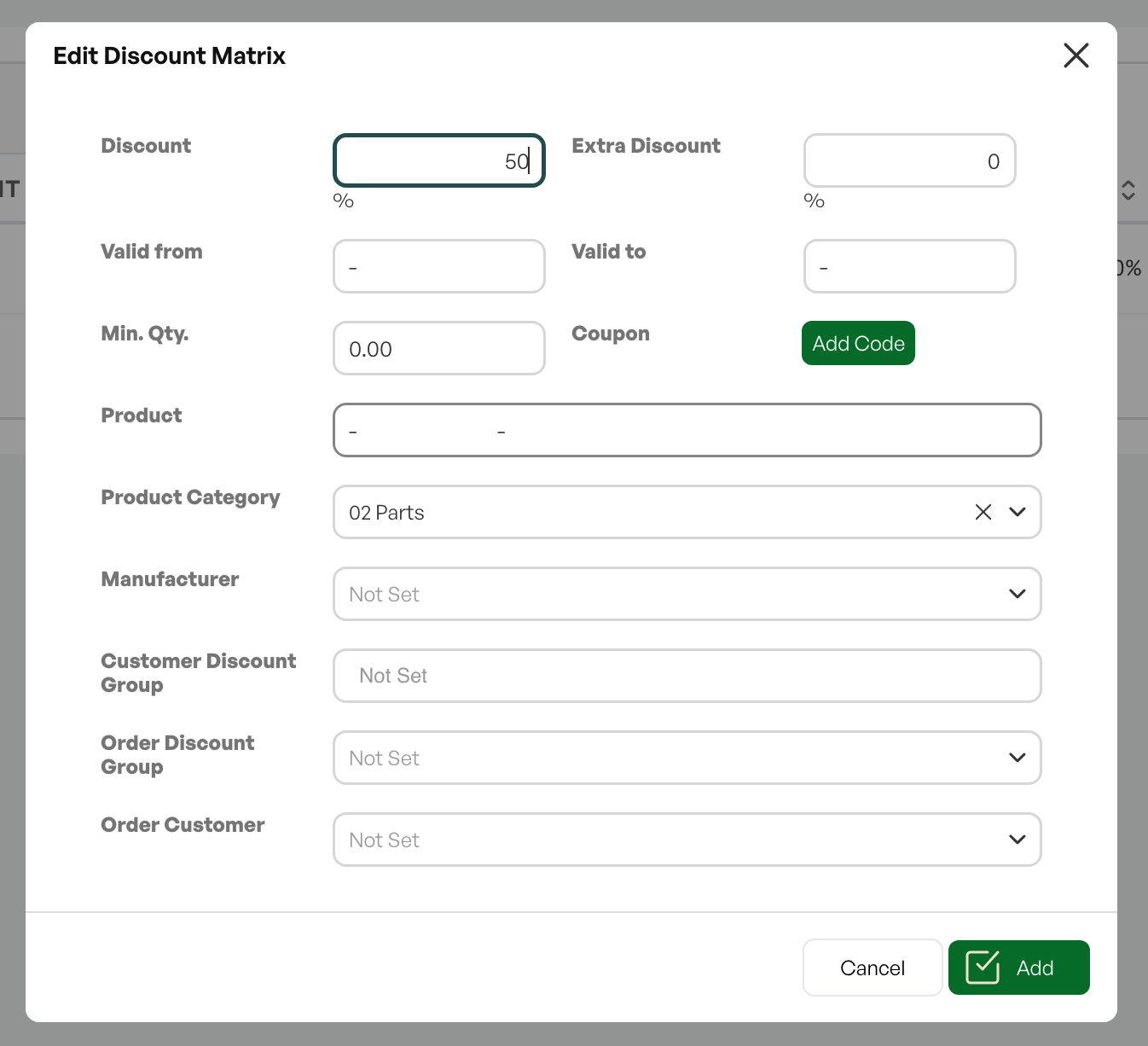
Discount: Sets the percentage of the discount.
Valid from:Date validity for the discount
Min. Qty:Minimum quantity to reach the discount
Coupon:Code that can be used in the webshop to give a discount
Product: Selects a specific product per line in the matrix.
Category: Selects a specific category per line in the matrix, read from the product card.
Manufacturer: Can be chosen from one of the suppliers.
Discount group: Can be taken from a specific group.
Order type: Chosen from the order type on each sales order.
Order customer: Chosen if it only applies to a specific customer and not a group.
Rules for combinations in the discount matrix
- Discount matrix (various combinations of product category, product discount group, customer discount groups, customer, product, etc.)
- Discount rate directly on the customer card
- Net price directly on the customer card
Rules
- Net price trumps everything
- The discount rate on the customer card trumps the discount matrix
- Discount matrix, various combinations - the system chooses the highest discount of the various combinations
- If the product is linked to a category / group that is not directly in the discount matrix but has a parent that is in the discount matrix, the product inherits the category parent's discount rate.
Inherit discount from parent company / invoice customer
Telaris has a setting where the order customer inherits the discount from the invoice customer. The invoice customer's discount then overrides the order customer's discount, even if it is lower than the order customer's own discount.

Was this article helpful?
That’s Great!
Thank you for your feedback
Sorry! We couldn't be helpful
Thank you for your feedback
Feedback sent
We appreciate your effort and will try to fix the article